If you has not requested access to the program yet, please submit your request following the instructions here: link
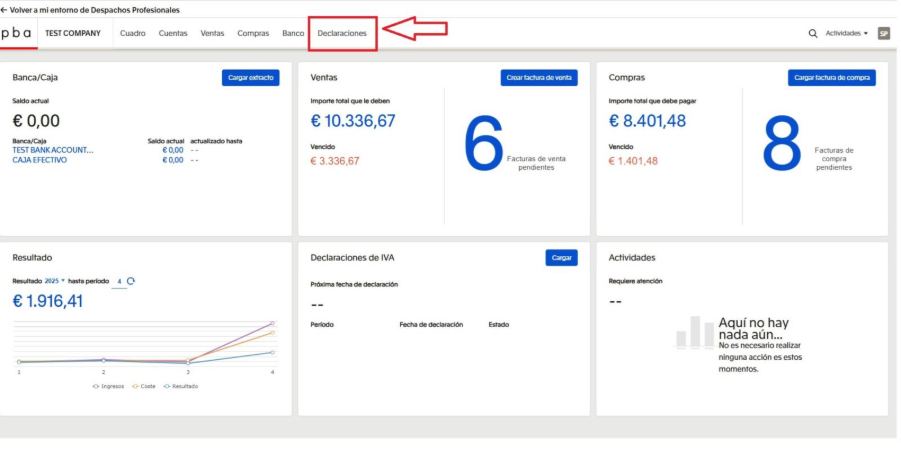
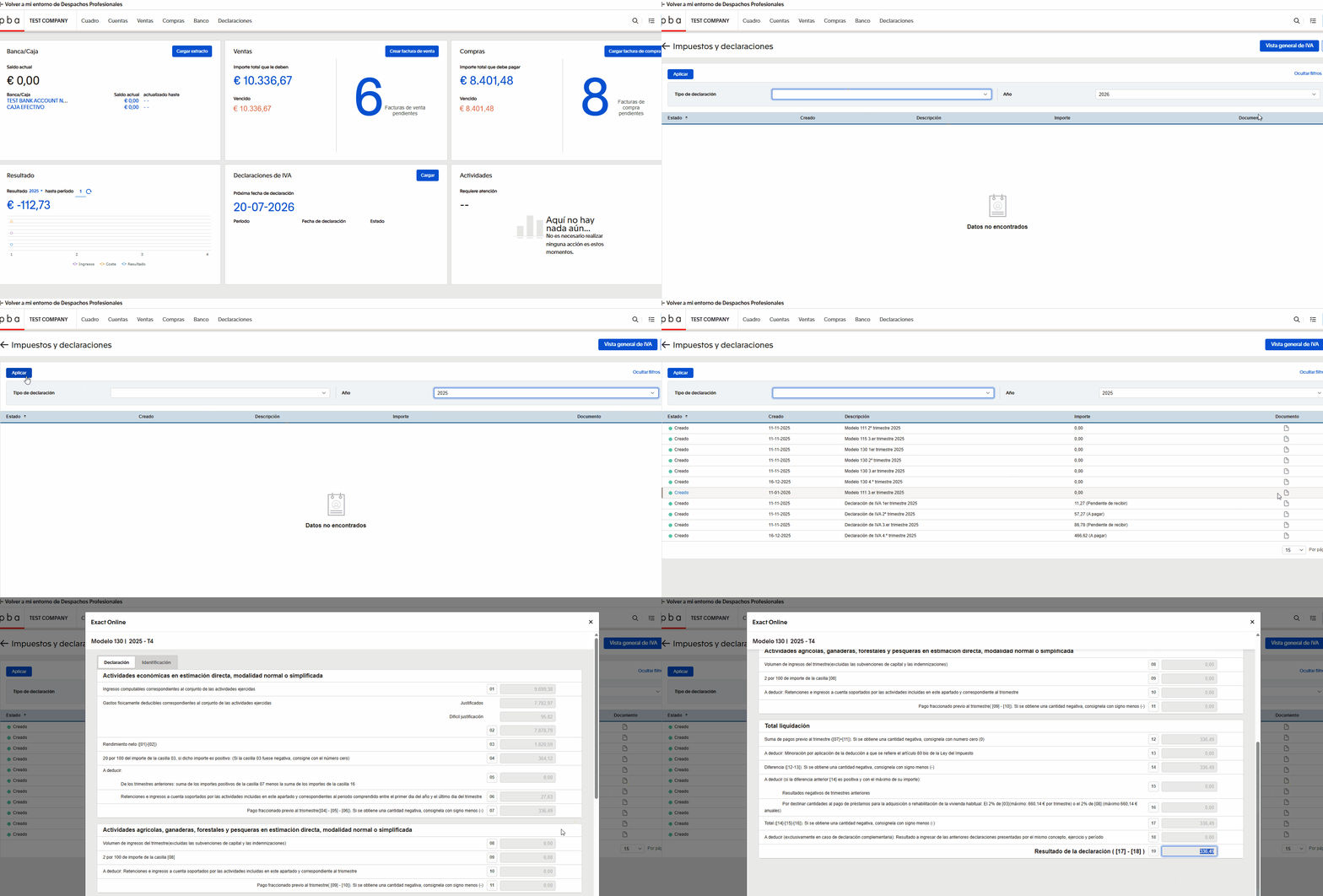
In the Exact system, in the “Declaraciones” section, you can view all quarterly tax returns that we have prepared, as well as the tax amounts due for payment. This page displays only the declarations that are relevant to you.
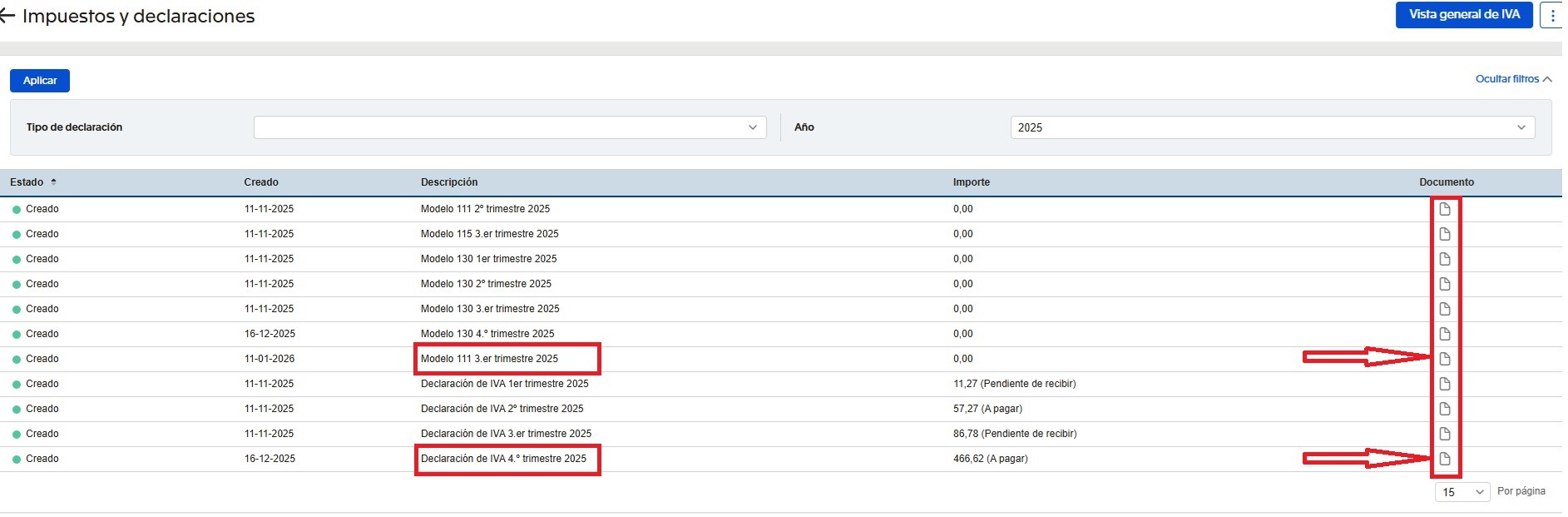
The results of your activity can be viewed by clicking on the document icon on the right.
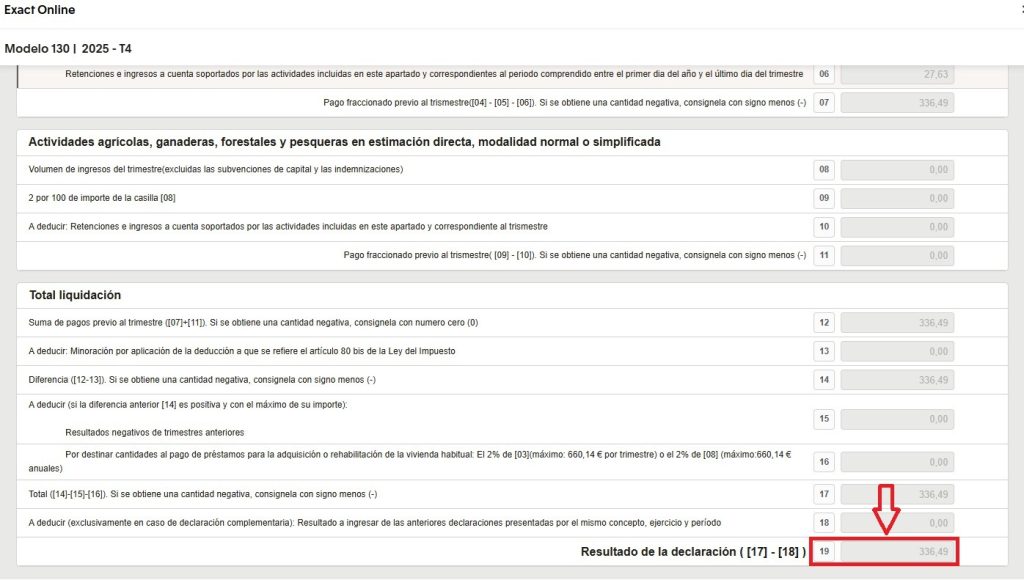
Modelo 130 (only for autónomos)
This return calculates the interim income tax on the profit obtained during the quarter. The calculation is based on net profit (the difference between income and expenses), and 20% of the result is payable.
The amount of tax due under this return can be seen at the bottom, in box 19.
Modelo 303 (VAT return, declaración de IVA)
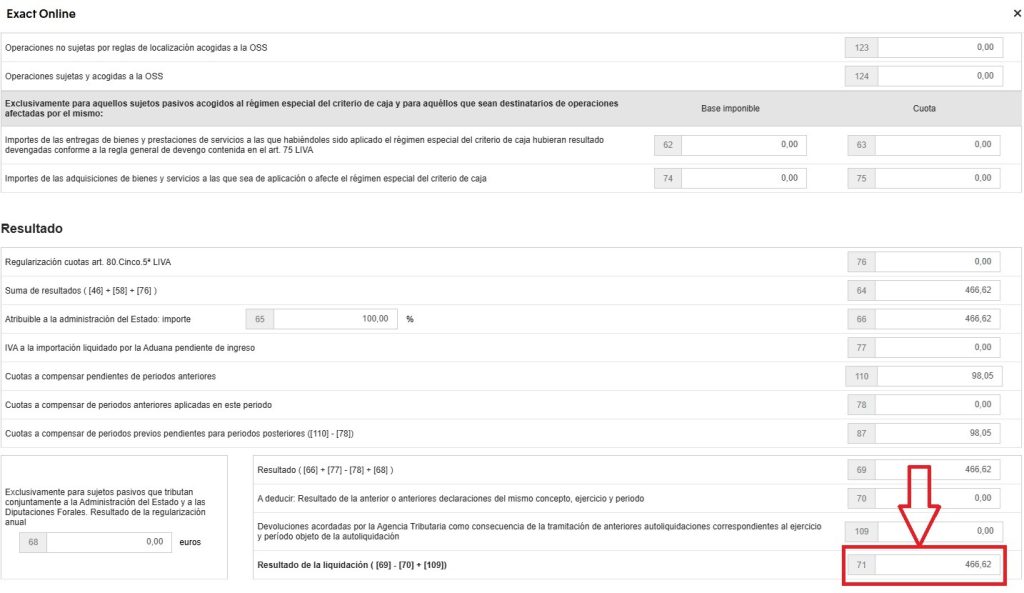
This is a quarterly return that reports all VAT (IVA) charged on sales and all VAT (IVA) paid on expenses.
The VAT result may be as follows:
– you pay VAT to the tax authorities at the end of the quarter (if your sales are subject to VAT); or
– VAT is refunded to you on purchases made from Spanish companies with a correct invoice (the refund can only be requested in the 4th quarter).
The amount of tax payable or refundable under this return is shown at the bottom, in box 71.
This section is not intended for all users. It is used only in cases involving employees, the rental of commercial premises, or specific invoices to which tax withholding applies. In all other situations and for standard transactions, this section is not used.
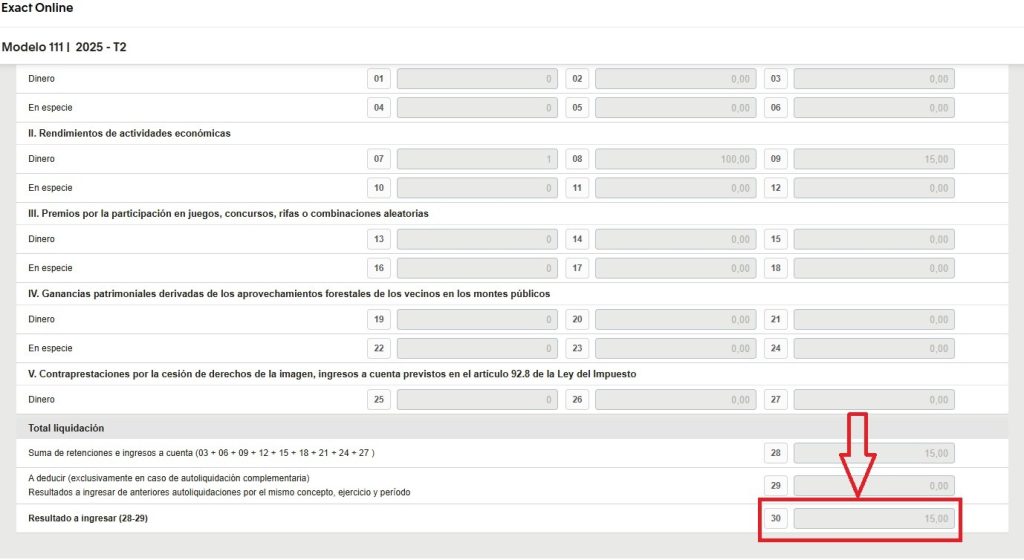
Modelo 111
This return covers tax withholdings from employees’ salaries and from invoices issued by other companies.
The amount of tax payable under this return is shown at the bottom, in box 30.
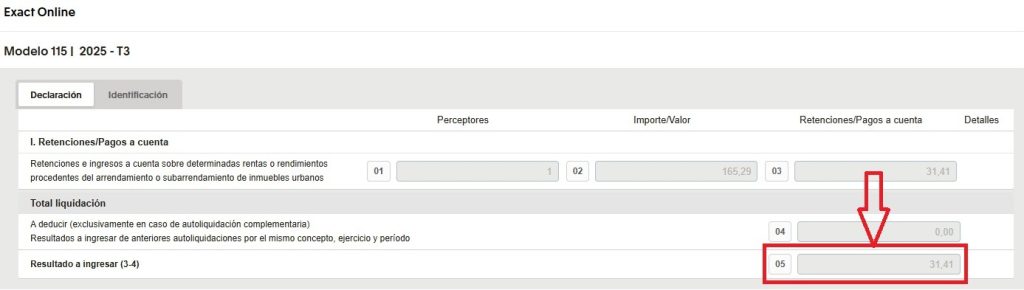
Modelo 115
This return reports the tax withheld on the rental of offices, warehouses, and any other commercial premises.
The amount of tax payable under this return is shown at the bottom, in box 05.