To gain access to the Exact program via the pba.top portal, follow these steps.
First, log in or register on the portal using the following link:
https://pba.top/panel
Request the subscription for the “Invoice and taxes” service in the Suscripciones section.
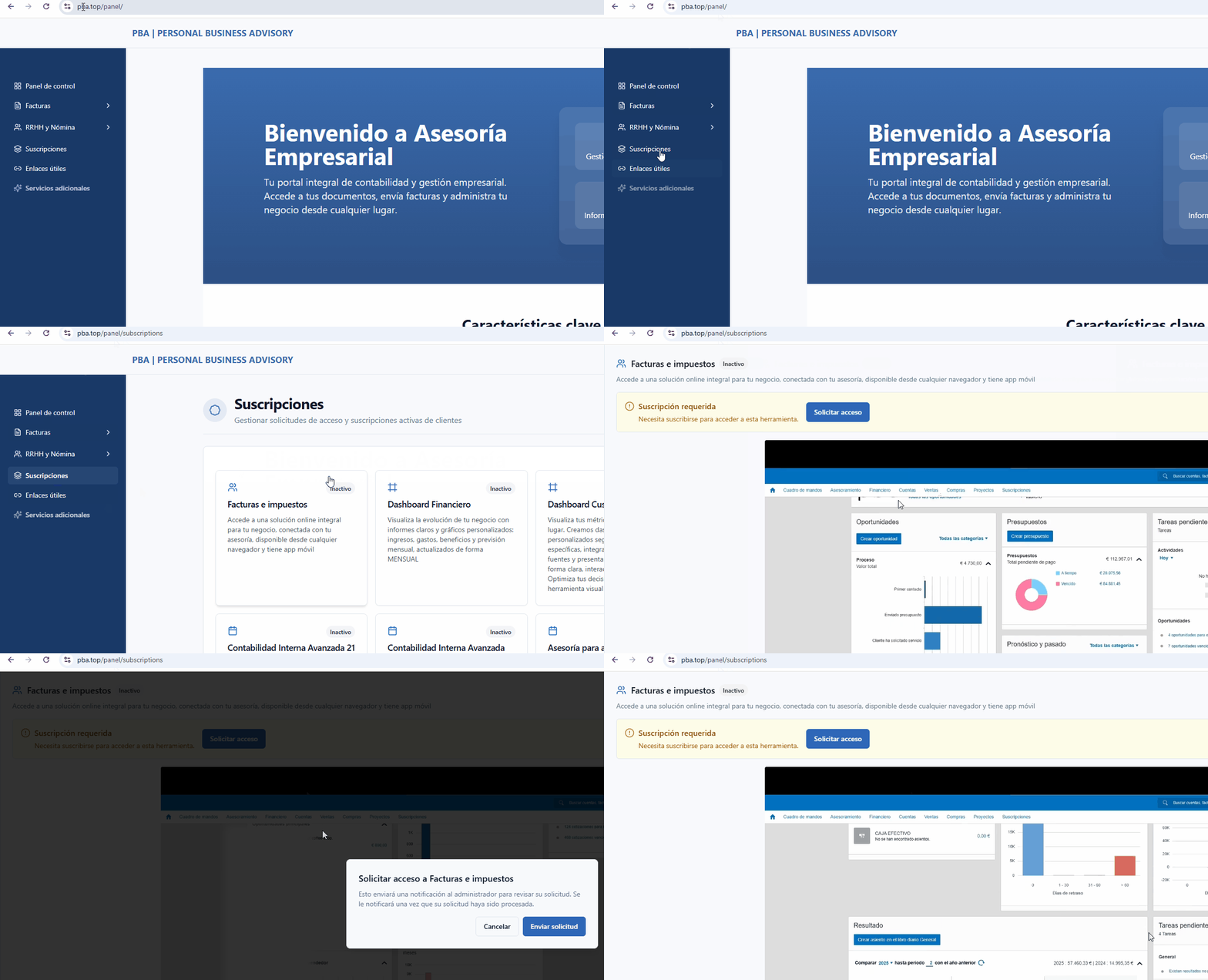
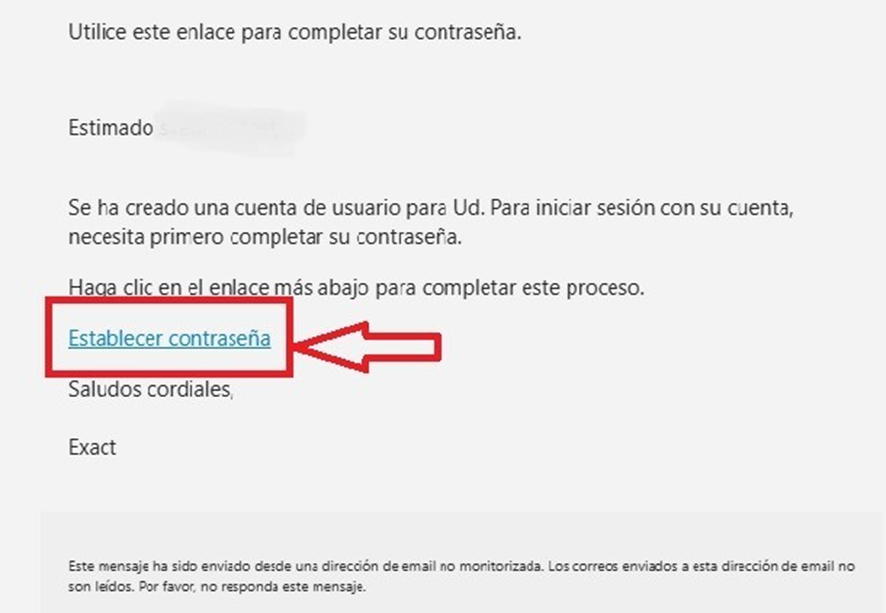
Once we approve your request, you will receive emails with instructions. You will also be able to access the program through the Subscriptions section “Facturas e impuestos.” Your login details will be sent to you separately in two emails. In the first email, you will receive the invitation notification to the program and instructions to create your password.
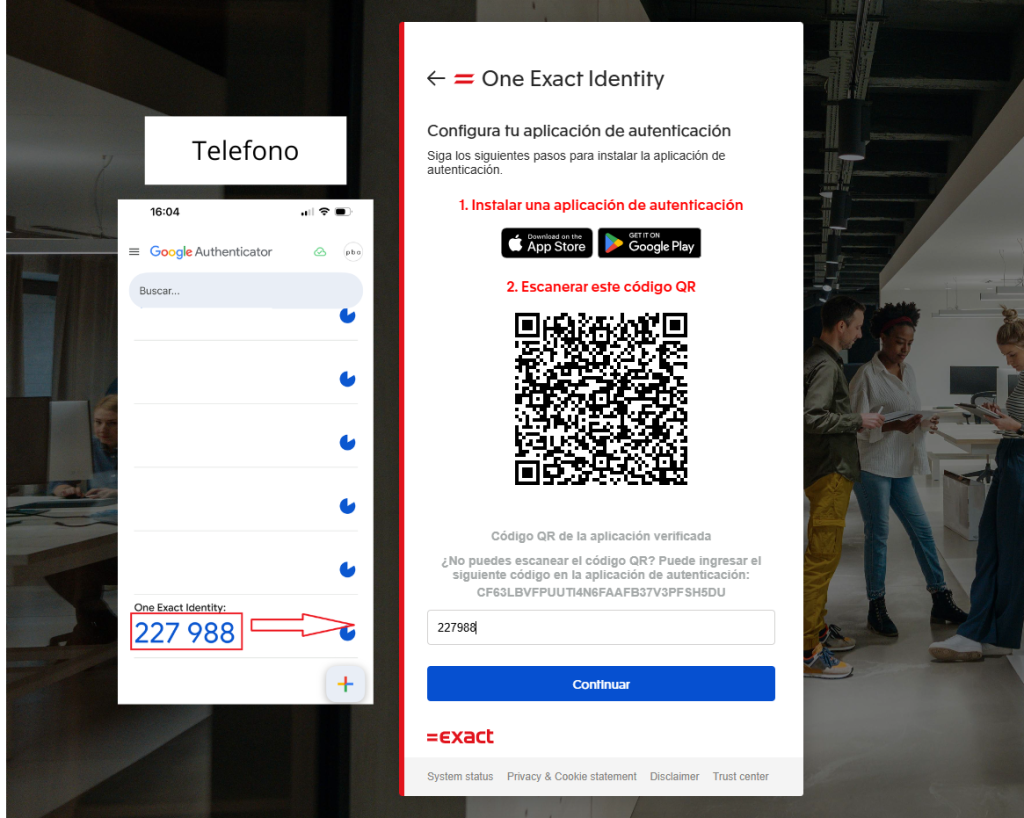
During the registration process, you will be prompted to download an authenticator on your phone. You will need to enter the temporary code from the authenticator when logging into the program every 7 days.
The second email will contain instructions and useful information on how to work with the program.
If you have trouble creating the password, use the access recovery feature (“¿Olvidó su contraseña?”). We recommend checking the spam folder if the email does not appear in your inbox.
You can also use the program through the mobile app (iOS and Android) using the same email and password.