If you has not requested access to the program yet, please submit your request following the instructions here: link
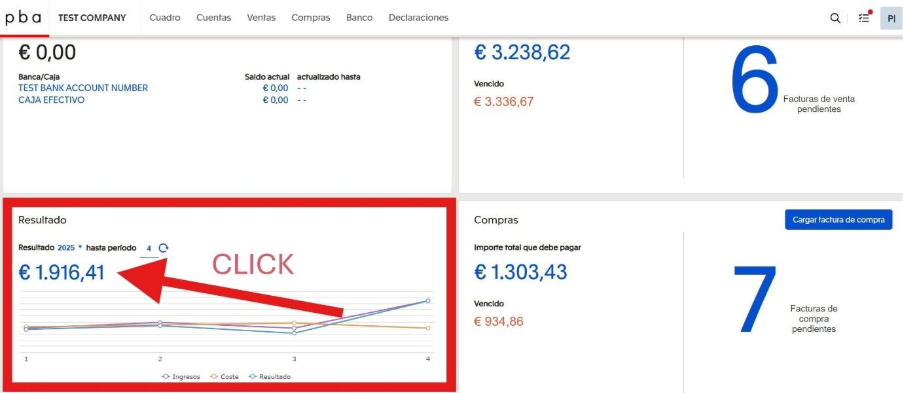
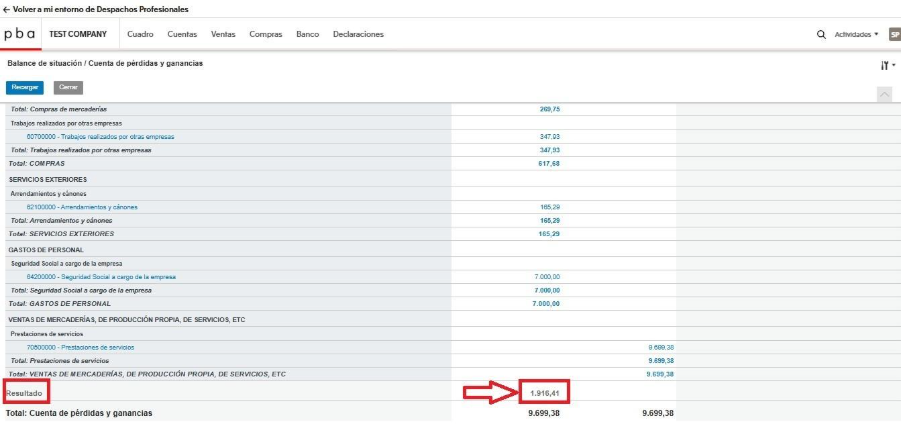
After logging into the system, you are taken to the main dashboard. In the lower-left section of the panel, there is a block called Resultado. It displays the current financial result for the selected financial year and period. The amount shown is calculated automatically based on the recorded income and expenses and is updated as invoices are uploaded and processed. To view the details, you need to click directly on the result amount. When clicked, the system automatically opens the Balance de situación / Cuenta de pérdidas y ganancias, as shown in the second screenshot.
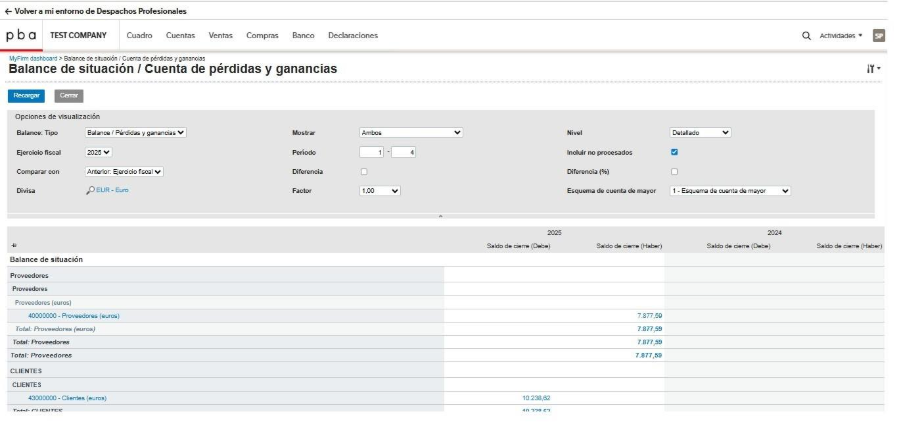
In the opened report, you can select the financial year and period, as well as the level of detail. It displays a full breakdown of the result, with a breakdown by income, expenses, clients, and suppliers. These data are what make up the amount shown on the main dashboard.
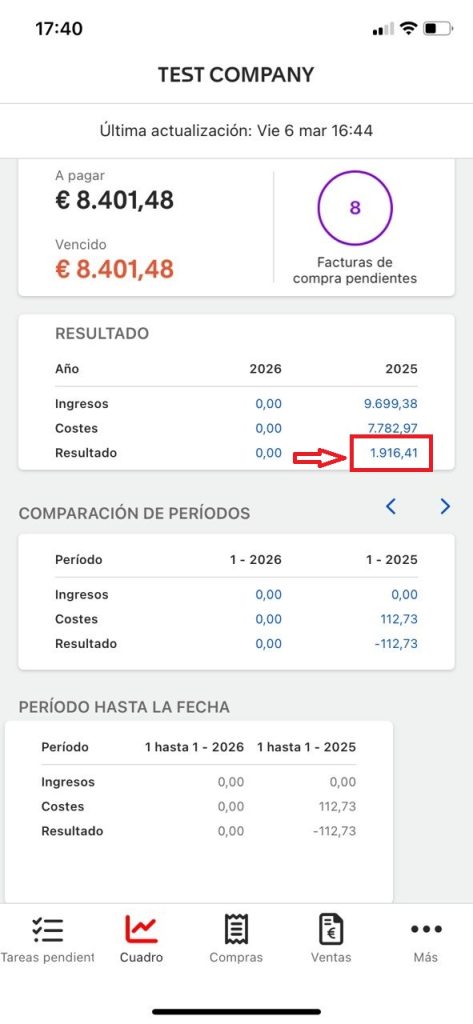
You can also check your results in the mobile application (see screenshot below).
The app can be downloaded here:
IOS
https://apps.apple.com/us/app/exact-online/id433619246
ANDROID
https://play.google.com/store/apps/details?id=com.exact